What Breaks on an AI-Generated Shopify Storefront?
An AI-generated Shopify storefront can look finished while cart sessions, checkoutUrl handoff, SEO, and pixels are still missing. Compare Online Store, Hydrogen, and builder exports before launch.
AI builders can produce a visual storefront quickly, but Shopify commerce requires a real cart session, Storefront API (or Hydrogen cart utilities), checkout handoff via Shopify's checkoutUrl, SEO/meta ownership, and a pixel/customer-events plan. Tutorials that connect Shopify often stop at product listing. Online Store is the default production path; Hydrogen is the supported custom-storefront path when headless is justified—not an ungoverned static export wired to the Admin API.
What Does Connected to Shopify Actually Mean?
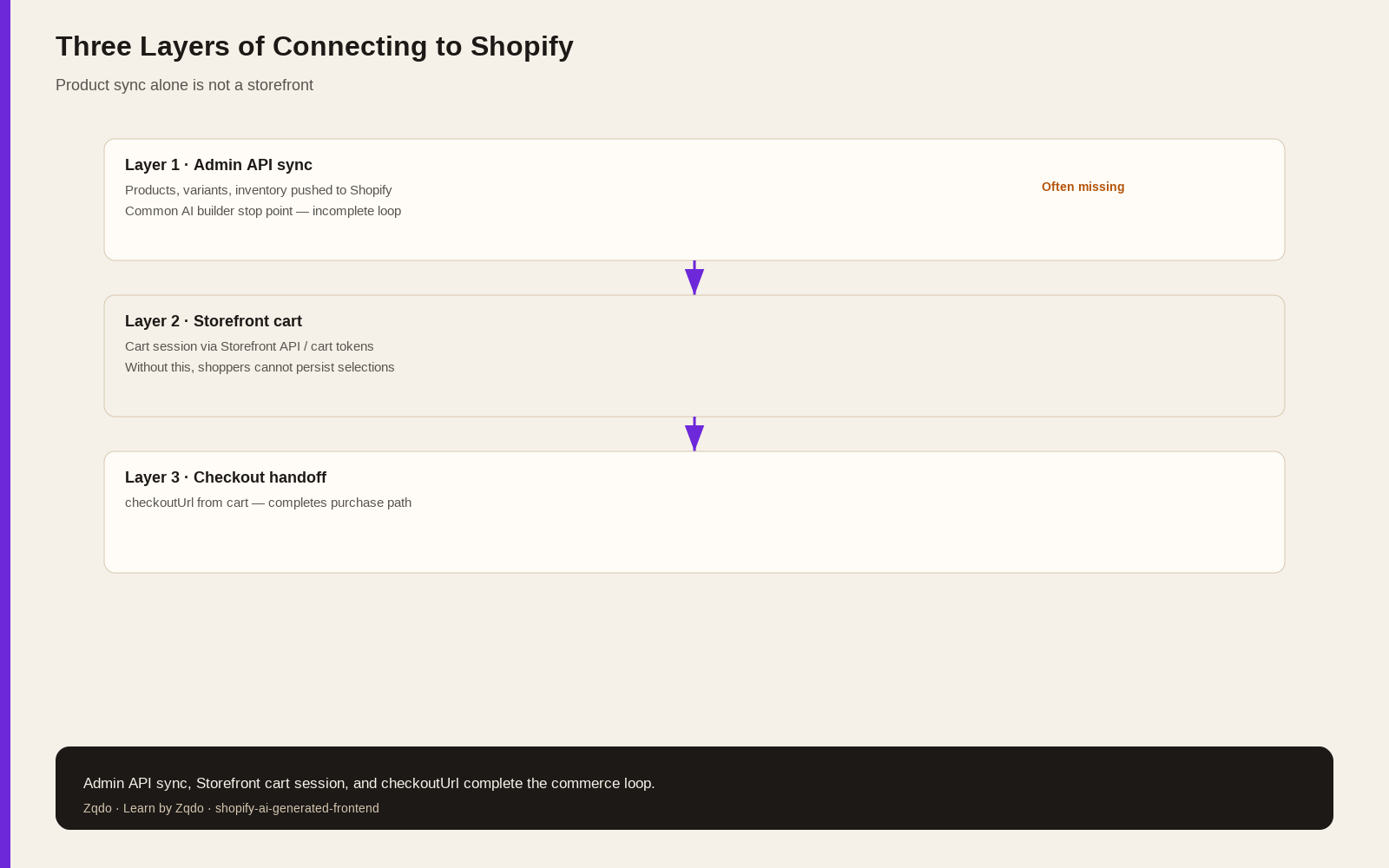
Builder marketing compresses Shopify integration into one phrase: connected. For an AI-generated Shopify storefront, that phrase hides three separate systems. Confusing them is how teams ship a beautiful site that cannot reliably take money.
Product sync alone is not a storefront. Cart session and checkoutUrl complete the commerce loop.
Layer
What it does
Typical AI-builder gap
Admin API sync
Backend read/write of products, orders, inventory
Often implemented—products appear on the page
Storefront cart
Buyer session with line items via Storefront API
Frequently missing or broken across page loads
Checkout
checkoutUrl handoff to Shopify-hosted checkout
Sometimes mocked, hardcoded, or never tested end-to-end
A static product grid fed by Admin API credentials is a catalog browser—not a Shopify storefront. Buyers need a cart that survives navigation and a checkout path Shopify honors.
Should You Use Online Store, Hydrogen, or an AI Shell?
Start with the cheapest production path that meets requirements. Escalate only when constraints force it.
Default: Online Store on a quality OS 2.0 theme with Shopify CLI for custom work—the supported merchant-operable path.
Justified custom UX, omnichannel headless, or engineering ownership: Hydrogen with Storefront API cart utilities and documented SEO helpers.
Experimental AI shell from v0, Lovable, Replit, or similar: prototype until cart, checkoutUrl, SEO, and pixels pass QA—do not treat the export as production by default.
If the primary goal is a branded marketing site that lists products occasionally, Online Store plus theme customization usually wins on operability, app ecosystem, and tracking. If the primary goal is a bespoke JavaScript experience with dedicated engineering, Hydrogen is the reference architecture—not an unreviewed static export.
Teams that should have stayed on themes often discover it after an AI shell fails checkout QA. The edit Shopify theme with Cursor guide describes a safer Online Store path when the real need was faster theme iteration, not a new frontend host.
What Failure Modes Kill AI Shopify Launches?
These are the gaps we see when a Community thread asks for a review of an AI-built frontend connected to Shopify. They are launch blockers, not post-launch optimization.
How Do Cart ID and Session Persistence Break?
Storefront API carts are identified by cart ID. Your frontend must create a cart, store the ID in a cookie or durable client storage, and pass it on subsequent requests. AI tutorials that add to cart in memory or regenerate IDs on every navigation produce empty carts at checkout.
Developer QA: add two products, navigate away, return, and confirm line items persist. Test on mobile Safari with intelligent tracking prevention—not only desktop Chrome.
What Goes Wrong With checkoutUrl and Buyer Trust?
Shopify checkout runs on Shopify infrastructure. Headless and custom frontends send buyers to the checkoutUrl returned by the cart—not to a checkout page mocked inside the marketing shell. Hydrogen's createCartHandler exposes this handoff explicitly.
Failure symptoms: checkout button does nothing, opens a broken URL, or sends buyers to a stale domain. Merchant-safe symptom: buyers abandon because the transition from custom site to checkout feels unfamiliar—mitigate with consistent branding in checkout settings, but do not pretend checkout lives inside the React app.
Who Owns SEO and AEO on a JavaScript Shell?
Online Store themes output meta tags, canonical URLs, and structured data through Liquid templates Shopify merchants already operate. A generated React tree owns none of that by default. Hydrogen documents getSeoMeta, sitemaps, and robots because headless teams must implement SEO deliberately.
Product and collection titles/descriptions rendered client-only may not match what crawlers see.
Missing or duplicate canonicals when marketing pages and product routes share a SPA router.
No XML sitemap submission path when the shell is not the Online Store.
AEO debt: entity clarity and citation-ready pages still need authored content—not just a fast UI.
Link to the Shopify AEO guide for citation strategy; this section is about technical ownership of meta and indexation on a custom host.
Where Do Pixels Fire When Liquid Never Renders?
Theme apps, app embeds, and many Shopify pixels assume Liquid-rendered Online Store pages. When buyers never hit the theme, those tags do not fire. Customer events and app pixels must be placed on the custom frontend by design.
Symptoms after launch: ad platforms show purchases but not add-to-cart; attribution drops; remarketing audiences shrink. The pixel tracking breaks guide covers governance when tags fragment across hosts—read it before you declare the AI shell production-ready.
Are Admin API Secrets Safe in Client Exports?
AI builders often embed API tokens in client-side code to make demos work. Admin API credentials in a browser bundle are a security incident waiting for traffic. Storefront API public tokens belong in client contexts with scoped permissions; Admin API access belongs on a server you control.
Never paste production Admin API tokens into chat prompts or builder environments you do not own.
Audit exported repos for .env values committed to static hosting.
Use server routes or Shopify's documented headless patterns for privileged operations.
Who Owns Products, Redirects, and CWV After Handoff?
AI shells accelerate the first screenshot, not the operating model. After launch, someone must own:
Product and inventory updates when Admin sync breaks or fields drift.
URL redirects when collections are renamed or campaigns end.
Core Web Vitals regressions when new scripts ship in the JS bundle.
Markets, B2B company accounts, and discount rules the prototype never modeled.
Pixel and consent changes when privacy requirements shift.
The performance optimization guide covers CWV triage after frontend changes. Budget ongoing engineering—or plan to migrate back to Online Store before operational debt compounds.
What Are Common AI Storefront Mistakes?
Patterns that repeat in builder tutorials and store review threads:
Shipping a JS marketing site that displays products without a Storefront API cart.
Treating Hydrogen and an AI static export as interchangeable because both use React.
Skipping sitemap, robots, and canonical ownership on headless.
Assuming Meta Pixel or Google tags from the old theme still fire on the new domain.
Retargeting the theme development pillar as if OS 2.0 app-block architecture solves a headless cart problem—it does not.
Symptom
Likely cause
First fix
Empty cart at checkout
Cart ID not persisted
Storefront API cart cookie/session
404 checkout URL
Stale or hand-built checkout link
Use cart.checkoutUrl from API
Organic traffic flatlines
Meta/canonical gaps in SPA
Hydrogen SEO patterns or SSR
Ads underreport conversions
Pixels on old theme only
Customer events on new host
When Should You Bring in Help?
Internal engineering can prototype with builders without an agency. Bring in Shopify development help when a builder export is being treated as production, cart and checkout QA failed, SEO indexation is unresolved, pixels are fragmented, or no one owns redirects and CWV after handoff. You do not need a headless rebuild to fix a cart bug—but you do need someone who distinguishes Admin sync from Storefront cart from checkout handoff.
Zqdo's Perspective
Zqdo's first conversation on AI-built storefronts is a QA checklist, not a framework debate: show me the cart ID persisting, show me a paid test order through checkoutUrl, show me product meta in view-source or rendered HTML, and show me where pixels fire. Most teams that call us do not need Hydrogen—they need to admit the builder export is still a prototype. When headless is justified, we implement against Hydrogen and Storefront API patterns with explicit SEO and tracking ownership—not against Admin API demos that look finished in a screenshot. Online Store plus disciplined theme development remains the default recommendation until requirements prove otherwise.
Key Takeaways
✓Connected to Shopify is three products: Admin sync, Storefront cart, and Checkout—builders often only do the first.
✓Online Store is the default production path; Hydrogen is the supported headless path when custom UX is justified.
✓Cart ID persistence and checkoutUrl handoff are launch blockers, not polish.
✓SEO debt is front-loaded on generated React trees—meta, JSON-LD, sitemaps, and canonicals must be owned explicitly.
✓Pixels and Customer events do not attach automatically when Liquid never renders.
✓Prototype tax: markets, B2B identity, and discount rules are often never modeled in AI shells.
Frequently Asked Questions
Can I use v0 or Lovable as my Shopify storefront?+
You can use them to prototype a visual shell, but production Shopify commerce needs a Storefront API cart, checkout handoff, SEO ownership, and analytics placement. Treat builder exports as prototypes until cart, checkout, meta tags, and pixels pass QA—not as drop-in replacements for Online Store or Hydrogen without engineering.
What is the difference between Admin API sync and a Shopify cart?+
Admin API access lets your app read or write store data from the backend. A Shopify cart is a buyer-facing session object created through the Storefront API (or Hydrogen cart utilities) that holds line items, persists across pages, and produces a checkoutUrl. Listing products via Admin API does not give shoppers a cart.
Should I use Hydrogen instead of an AI-generated frontend?+
If you need a custom JavaScript storefront on Shopify, Hydrogen is the supported path with documented cart handlers, SEO helpers, and Storefront API integration. An ungoverned AI export wired to Admin API credentials is not equivalent. Choose Hydrogen when headless UX is justified; stay on Online Store when it is not.
Will my theme apps and pixels work on a custom domain React site?+
No—not automatically. Theme apps inject into Liquid-rendered Online Store pages. A separate React host must implement Customer events and web pixels deliberately. Assume zero theme-app tracking until you design placement on the custom frontend.
How does checkout work on a headless or AI-built frontend?+
The custom frontend maintains a cart through the Storefront API. When the buyer checks out, you redirect them to the checkoutUrl Shopify returns—buyers complete payment on Shopify checkout, not inside your marketing shell. Hydrogen's createCartHandler documents this handoff pattern.
What should I QA before launching an AI-generated Shopify frontend?+
Cart persistence across navigation, checkoutUrl handoff on a real test order, product and collection meta tags, sitemap/robots/canonical ownership, pixel or Customer events firing on key pages, and a plan for who updates products, redirects, and Core Web Vitals after launch.
Continue Learning
Related guides, real Zqdo project examples, and the category hub for deeper exploration.
David Frempong is the founder and digital consultant at Zqdo. He is a hands-on web developer and Shopify developer who helps ecommerce brands and local businesses improve their websites, integrations, SEO, AEO, analytics, and conversion performance.